Valpo Transit, enhancing campus mobility

Valpo Transit, enhancing campus mobility

Transportation

Transportation
A modern smartphone displaying a logo stands upright on a textured concrete surface, casting a clear shadow, perfect for showcasing UI design and mobile design concepts.

The Valpo Transit App redesign aimed to improve usability for Valparaiso University students. Valpo helps students track campus shuttles and plan their daily routes with real-time transit updates.

The Valpo Transit App redesign aimed to improve usability for Valparaiso University students. Valpo helps students track campus shuttles and plan their daily routes with real-time transit updates.

These updates streamlined navigation, reduced missed rides, and improved the overall user experience.
These updates streamlined navigation, reduced missed rides, and improved the overall user experience.

Background

Background

Background

Valparaiso University students rely on campus buses for daily transportation, yet the existing transit app posed significant usability challenges. Many students struggled with unclear navigation, inefficient scheduling, and a lack of real-time updates, leading to missed rides and frustration. This case study highlights my initiative to redesign the app, improving efficiency and accessibility for students.
Valparaiso University students rely on campus buses for daily transportation, yet the existing transit app posed significant usability challenges. Many students struggled with unclear navigation, inefficient scheduling, and a lack of real-time updates, leading to missed rides and frustration. This case study highlights my initiative to redesign the app, improving efficiency and accessibility for students.

Valparaiso University students rely on campus buses for daily transportation, yet the existing transit app posed significant usability challenges. Many students struggled with unclear navigation, inefficient scheduling, and a lack of real-time updates, leading to missed rides and frustration. This case study highlights my initiative to redesign the app, improving efficiency and accessibility for students.

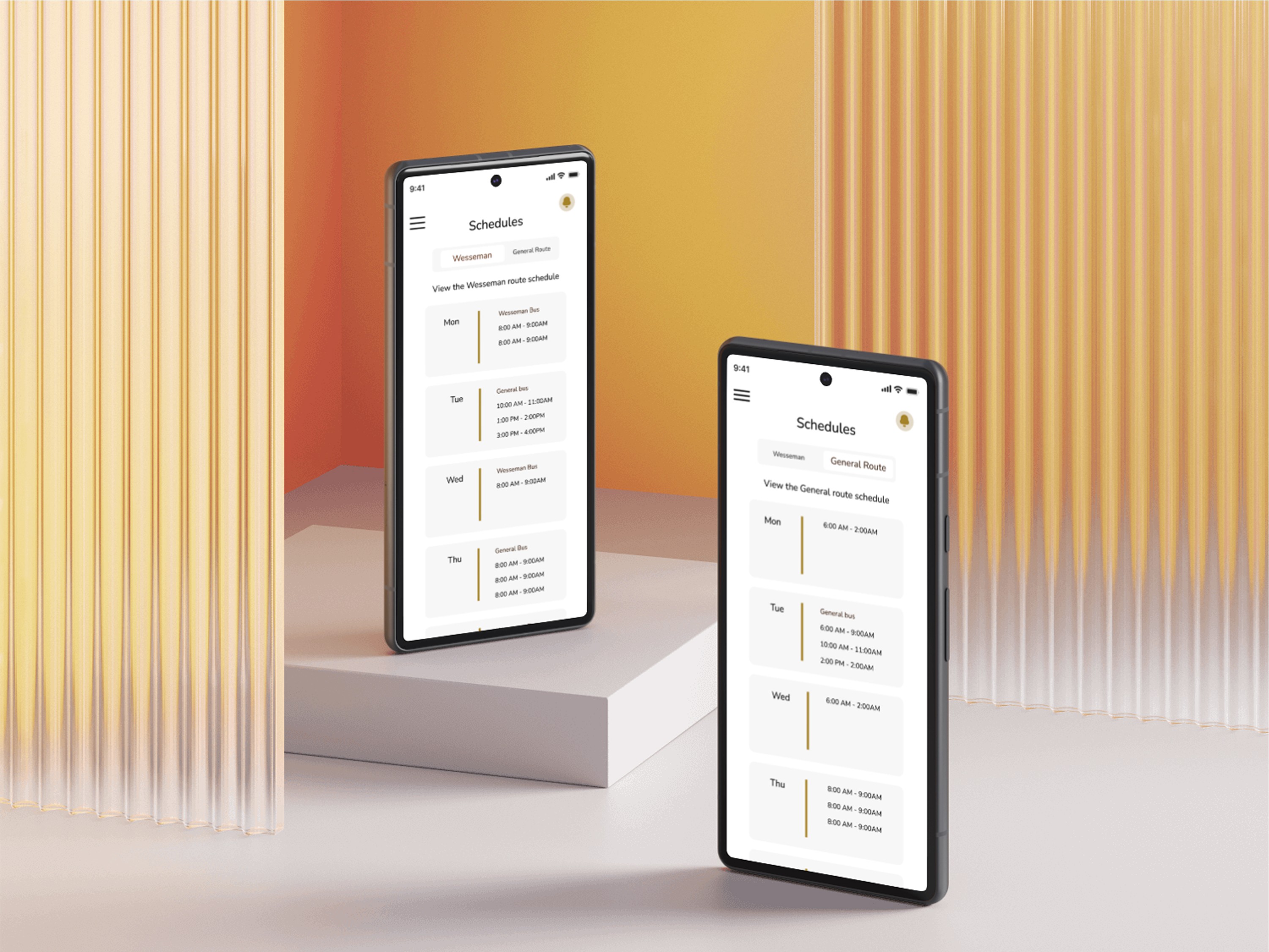
A modern, minimalist smartphone display showcases a sleek white schedule app interface, surrounded by elegant, translucent vertical panels with a warm, golden gradient backdrop, emphasizing a sophisticated tech aesthetic.

Valpo Transit App

Valpo Transit App

The Valpo Transit App redesign aimed to improve usability for Valparaiso University students.
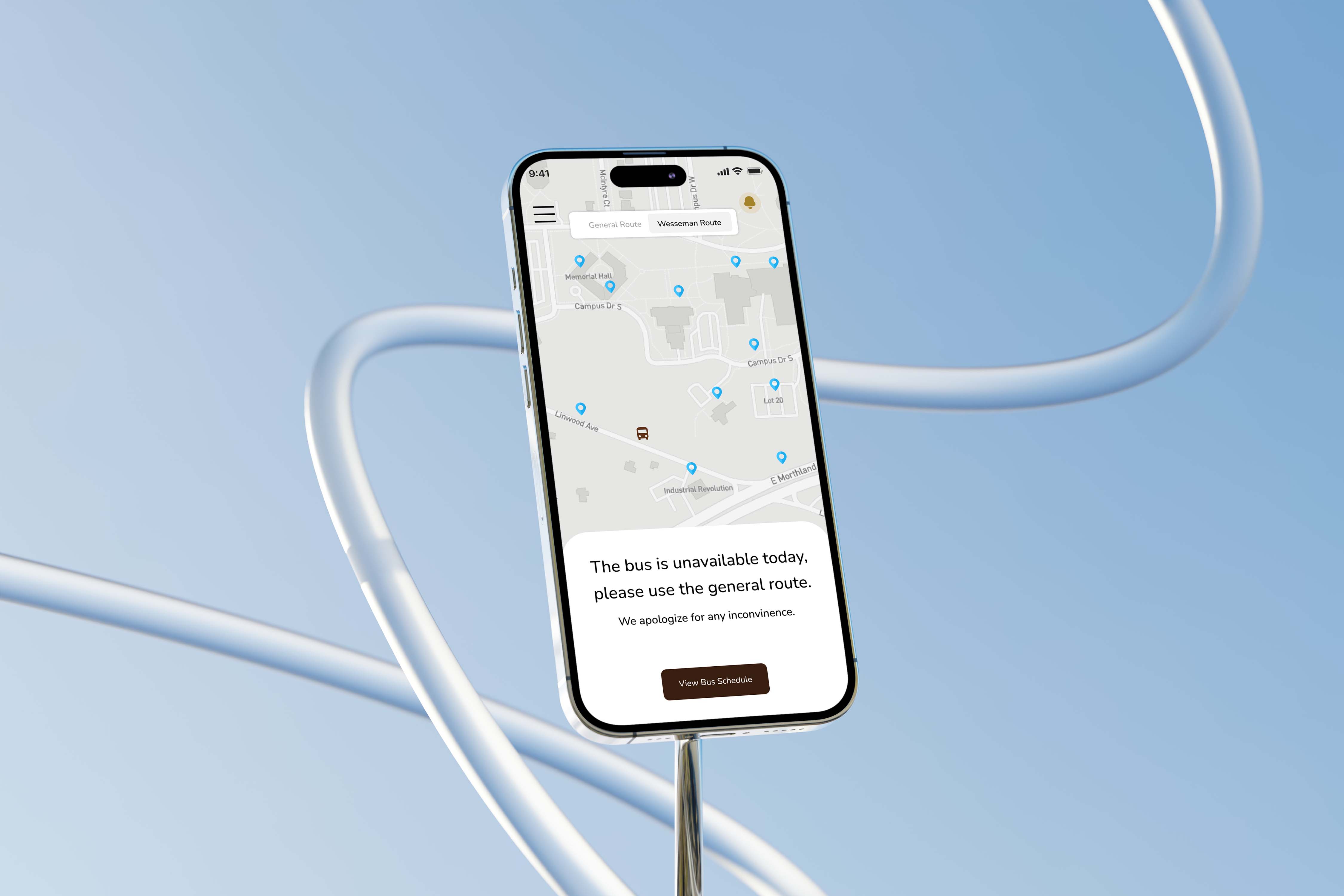
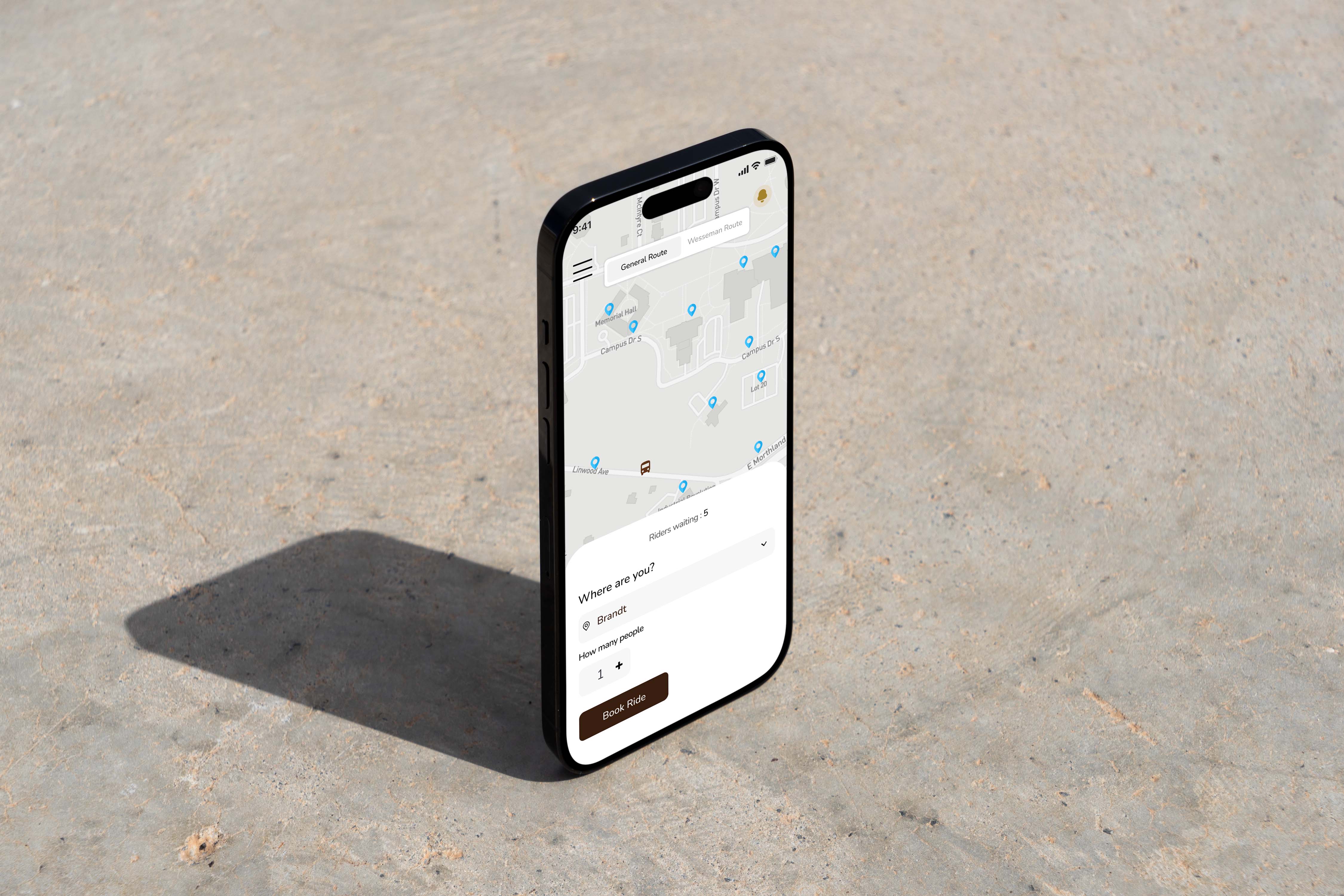
A sleek smartphone displaying a transit app interface, showcasing map pins and a notification about bus availability, set against a minimalistic backdrop with curved lines, demonstrating a modern UI design.

Valpo Transit App

Valpo Transit App

The Valpo Transit App redesign aimed to improve usability for Valparaiso University students.

The Challenge

The Challenge

The Challenge

Students faced several pain points while using the transit app:

  • Disorganized Location Listings – Stops were not arranged logically, making selection confusing.

  • Lack of Real-Time Notifications – No alerts for arrivals, causing students to miss buses.

  • Unclear Bus Schedules – Weekend routes and hours were difficult to find.

  • Limited Interaction & Information – No real-time tracking or engagement features.

  • Repeated Name Input – Users had to enter their names every time they booked a ride.

The challenge was to streamline these pain points into a more intuitive and user-friendly experience.
Students faced several pain points while using the transit app:

  • Disorganized Location Listings – Stops were not arranged logically, making selection confusing.

  • Lack of Real-Time Notifications – No alerts for arrivals, causing students to miss buses.

  • Unclear Bus Schedules – Weekend routes and hours were difficult to find.

  • Limited Interaction & Information – No real-time tracking or engagement features.

  • Repeated Name Input – Users had to enter their names every time they booked a ride.


The challenge was to streamline these pain points into a more intuitive and user-friendly experience.

Students faced several pain points while using the transit app:


  • Disorganized Location Listings – Stops were not arranged logically, making selection confusing.

  • Lack of Real-Time Notifications – No alerts for arrivals, causing students to miss buses.

  • Unclear Bus Schedules – Weekend routes and hours were difficult to find.

  • Limited Interaction & Information – No real-time tracking or engagement features.

  • Repeated Name Input – Users had to enter their names every time they booked a ride.


The challenge was to streamline these pain points into a more intuitive and user-friendly experience.

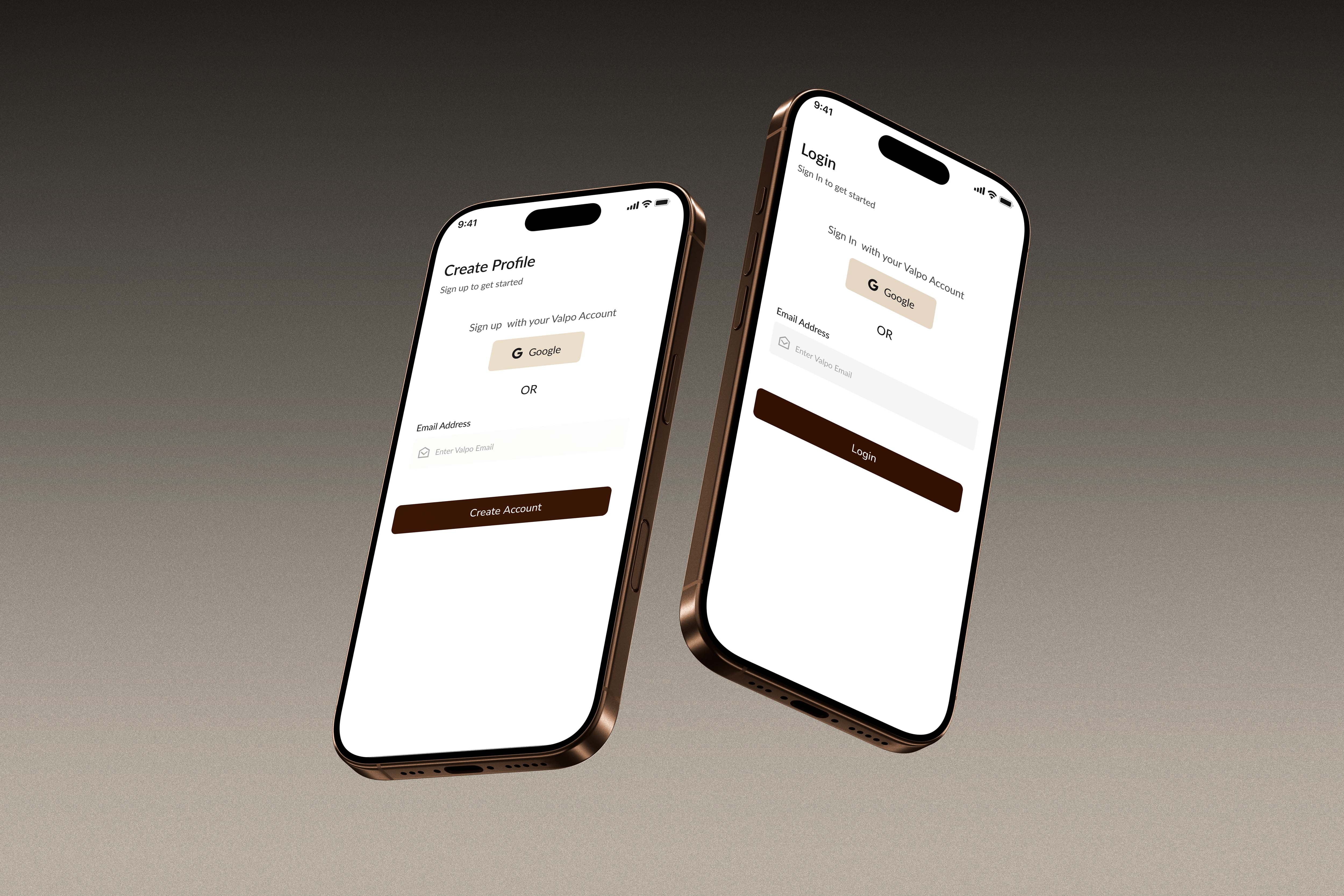
Two modern smartphones displaying a login and profile creation interface, showcasing sleek mobile UI design and emphasizing user-friendly UX elements, ideal for UI/UX designers and product designers.

Improved User Profiles

Improved User Profiles

Improved User Profiles

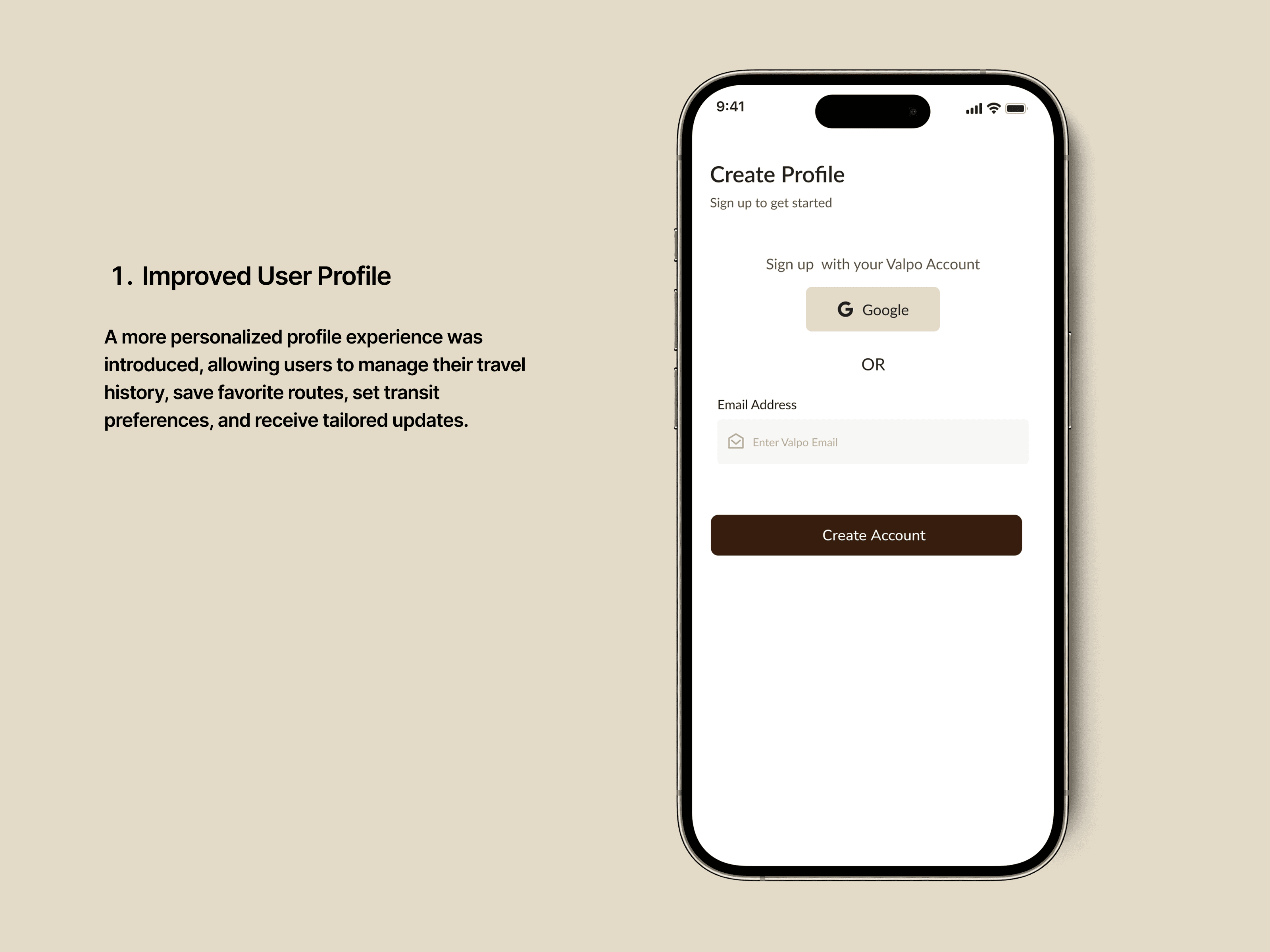
Users can save their names, eliminating the need for repeated input.

Users can save their names, eliminating the need for repeated input.
Users can save their names, eliminating the need for repeated input.

The image showcases a mobile design mockup displaying a "Create Profile" screen with options to sign up using Google or email, emphasizing UIUX improvements for enhanced user profile management.

Real-Time Notifications

Real-Time Notifications

Real-Time Notifications

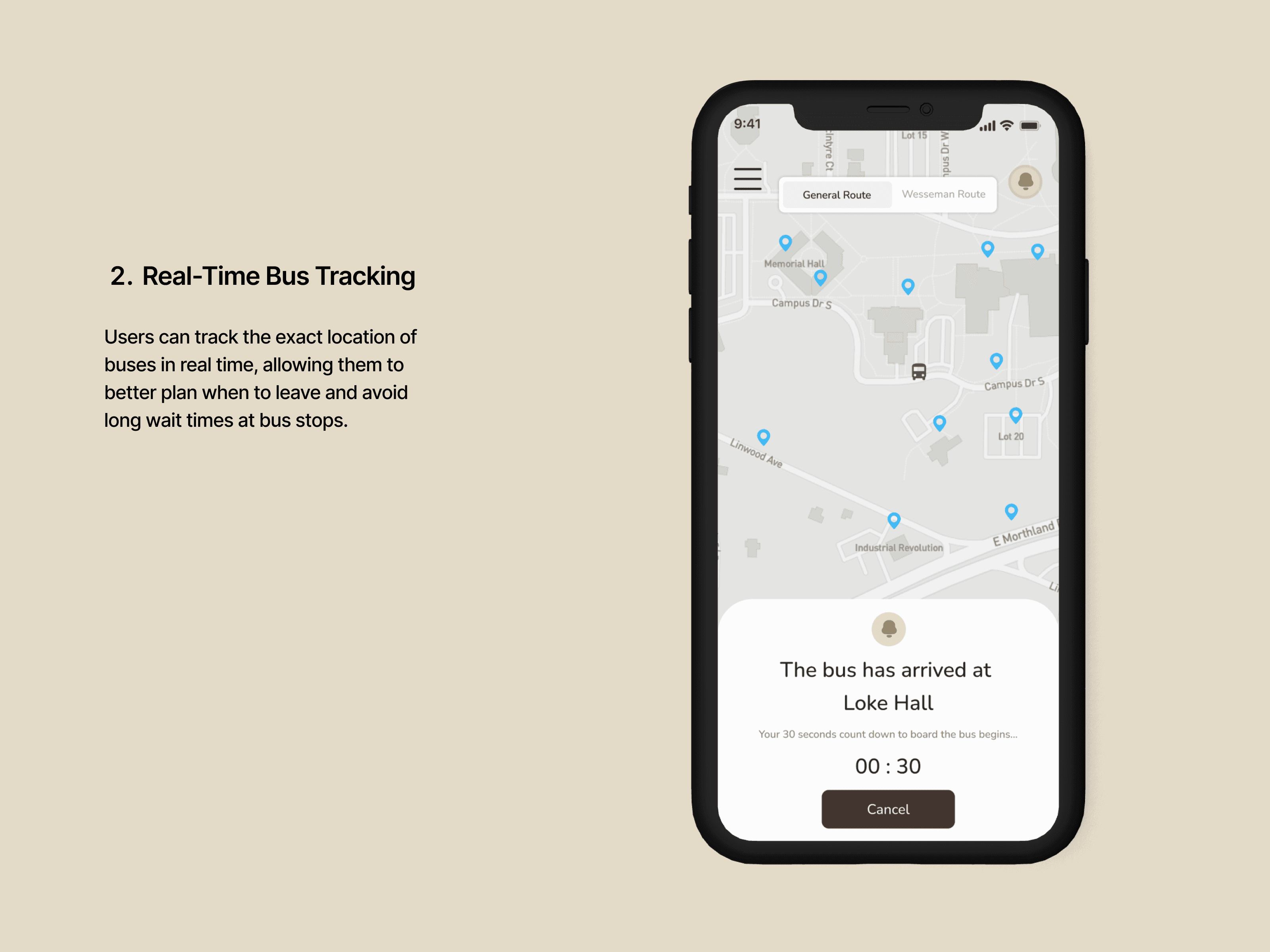
Added alerts for bus arrivals, delays, and boarding times.

Added alerts for bus arrivals, delays, and boarding times.
Added alerts for bus arrivals, delays, and boarding times.

A mobile phone displaying a real-time bus tracking app interface, featuring a map with bus stops marked and a notification about the bus's arrival, alongside informational text on the left, illustrating effective UI/UX design for enhanced user experience.

Live Bus Tracking

Live Bus Tracking

Live Bus Tracking

Enabled students to see bus locations and estimated arrival times.

Enabled students to see bus locations and estimated arrival times.
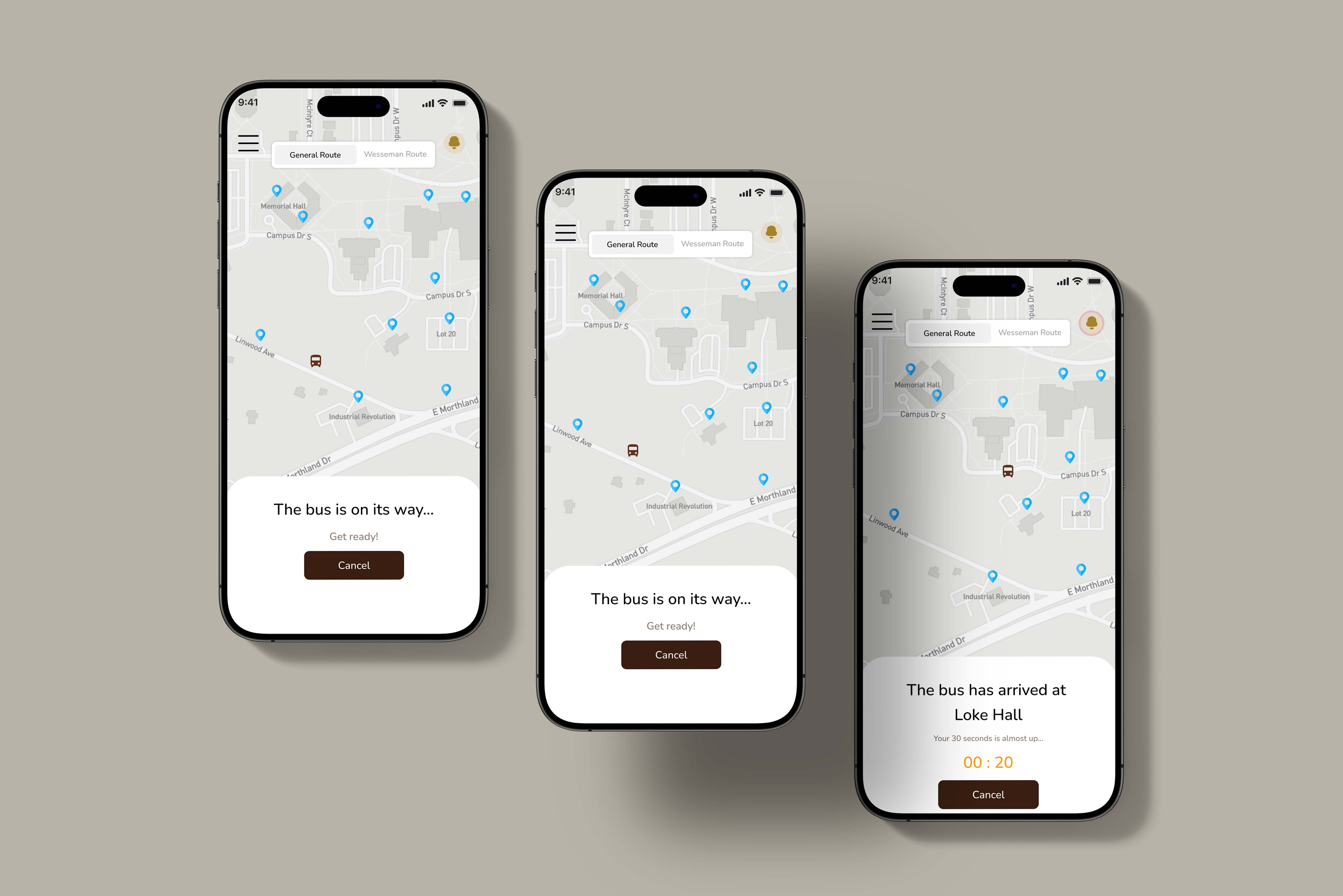
Enabled students to see bus locations and estimated arrival times.

Three smartphones display a mobile app UI/UX mockup featuring a map interface with marked locations, route progress, and notifications for a bus service, demonstrating a design project by a product designer or UI designer.

Integrated Scheduling System

Integrated Scheduling System

Integrated Scheduling System

Display of full bus schedules, including weekends.

Display of full bus schedules, including weekends.
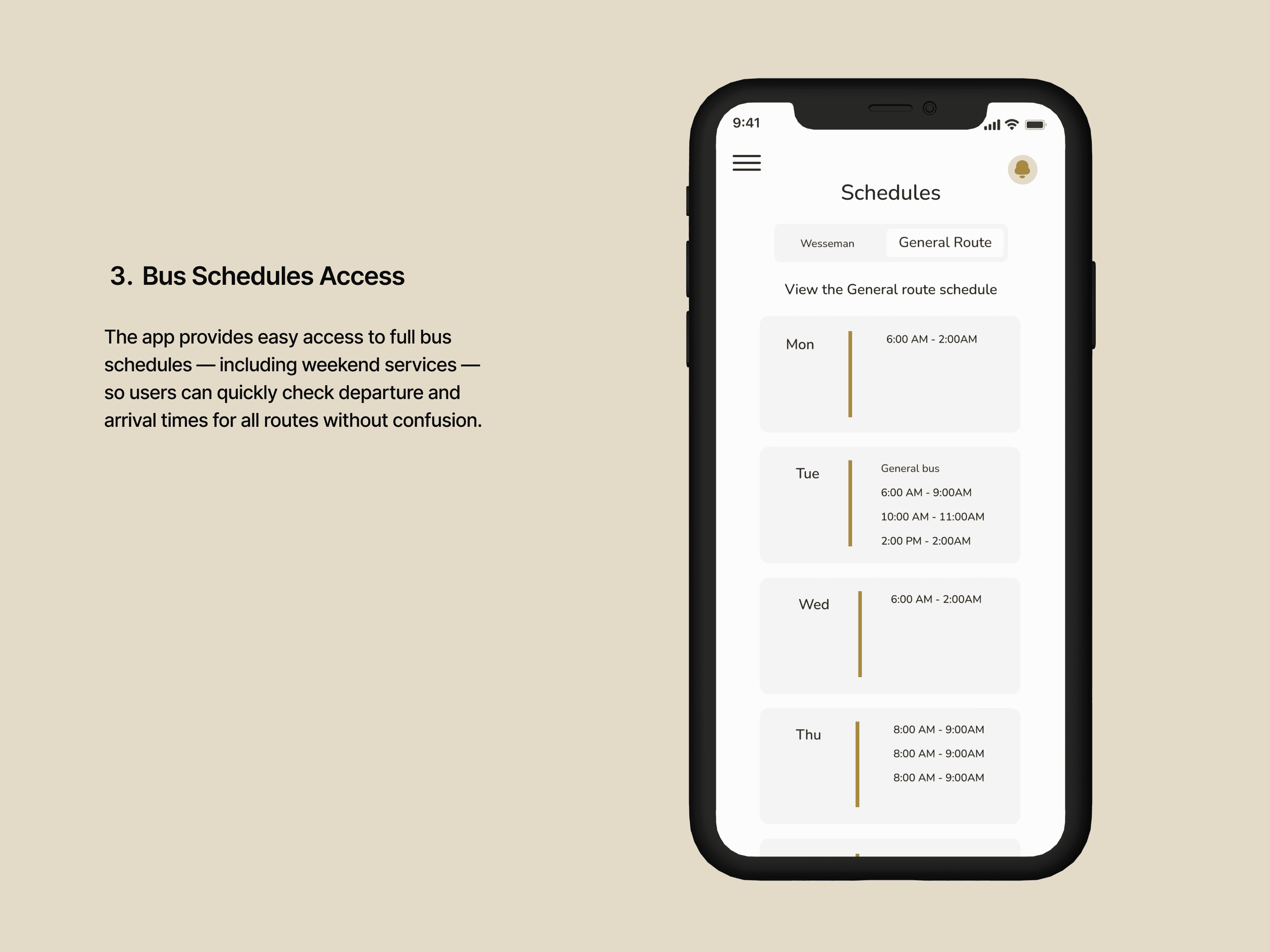
Display of full bus schedules, including weekends.

A smartphone displays a mobile app UI mockup showing a bus schedule, with clear, organized time slots for each weekday, highlighting UI design and mobile convenience.

Interactive Features and Real-Time Tracking

Interactive Features and Real-Time Tracking

Users can track buses live to avoid unnecessary waiting.

Users can track buses live to avoid unnecessary waiting.
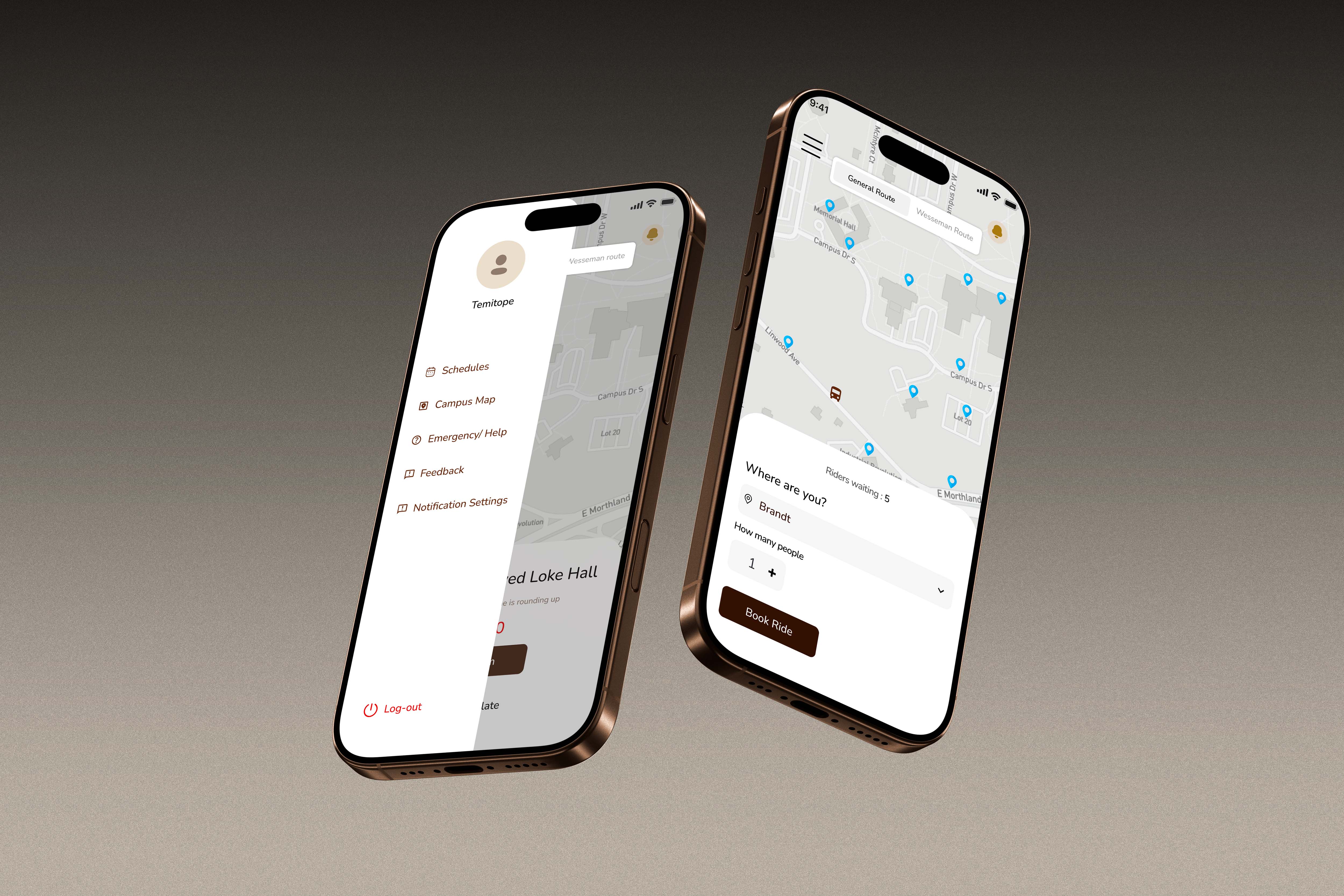
The image showcases a mobile UI/UX design mockup featuring two smartphones displaying a navigation app interface with a map view and menu options, ideal for a case study on innovative product design.
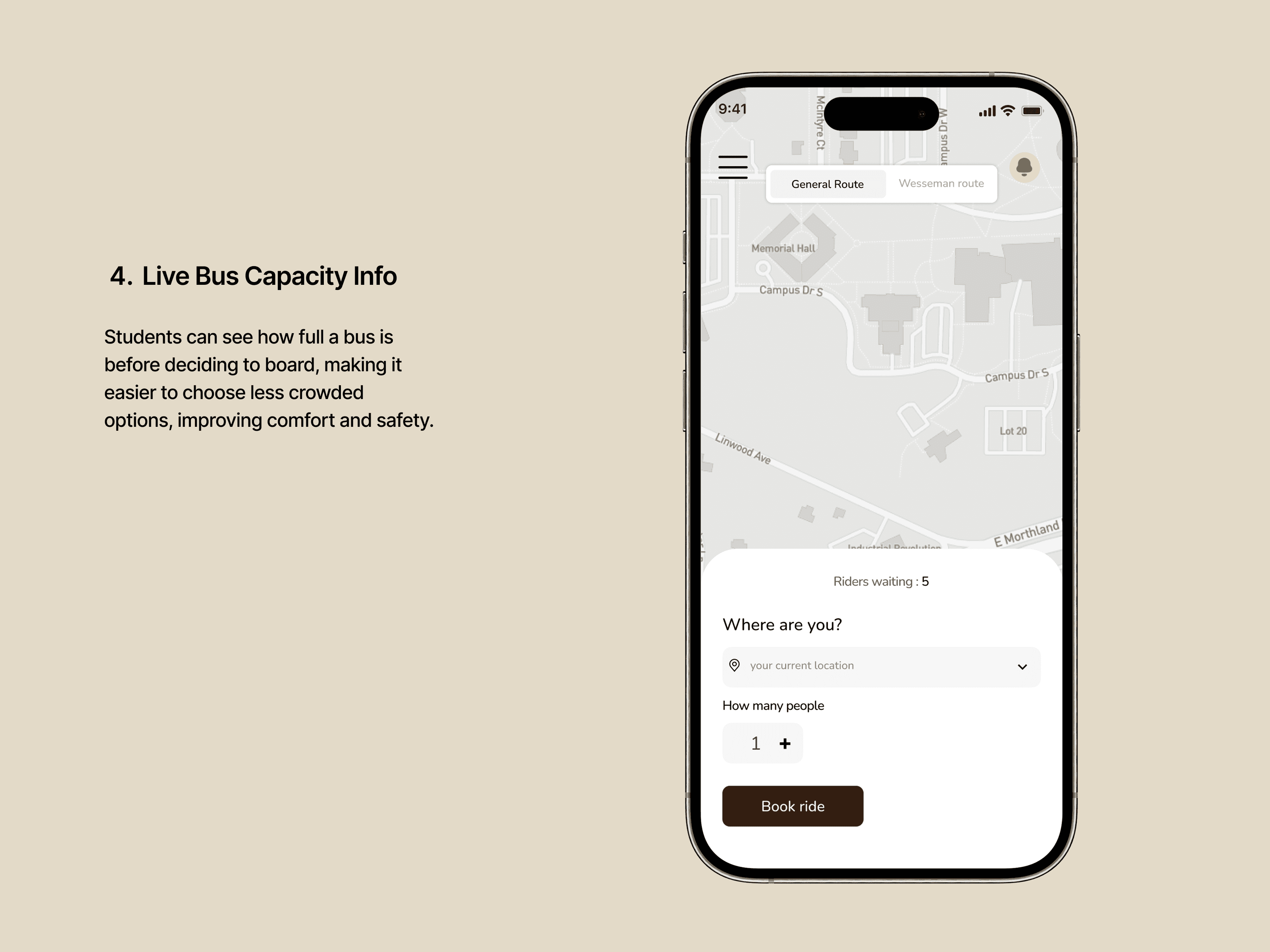
A smartphone displays a mobile app mockup showing live bus capacity information with a map and options for selecting a bus route, designed to assist users in making informed travel choices by revealing current rider numbers and allowing ride bookings; the left side contains a brief description of this feature, beneficial for enhancing user experience in UIUX design.

Others

Others

Others

Enabled students to see bus locations and estimated arrival times.

Enabled students to see bus locations and estimated arrival times.
Enabled students to see bus locations and estimated arrival times.

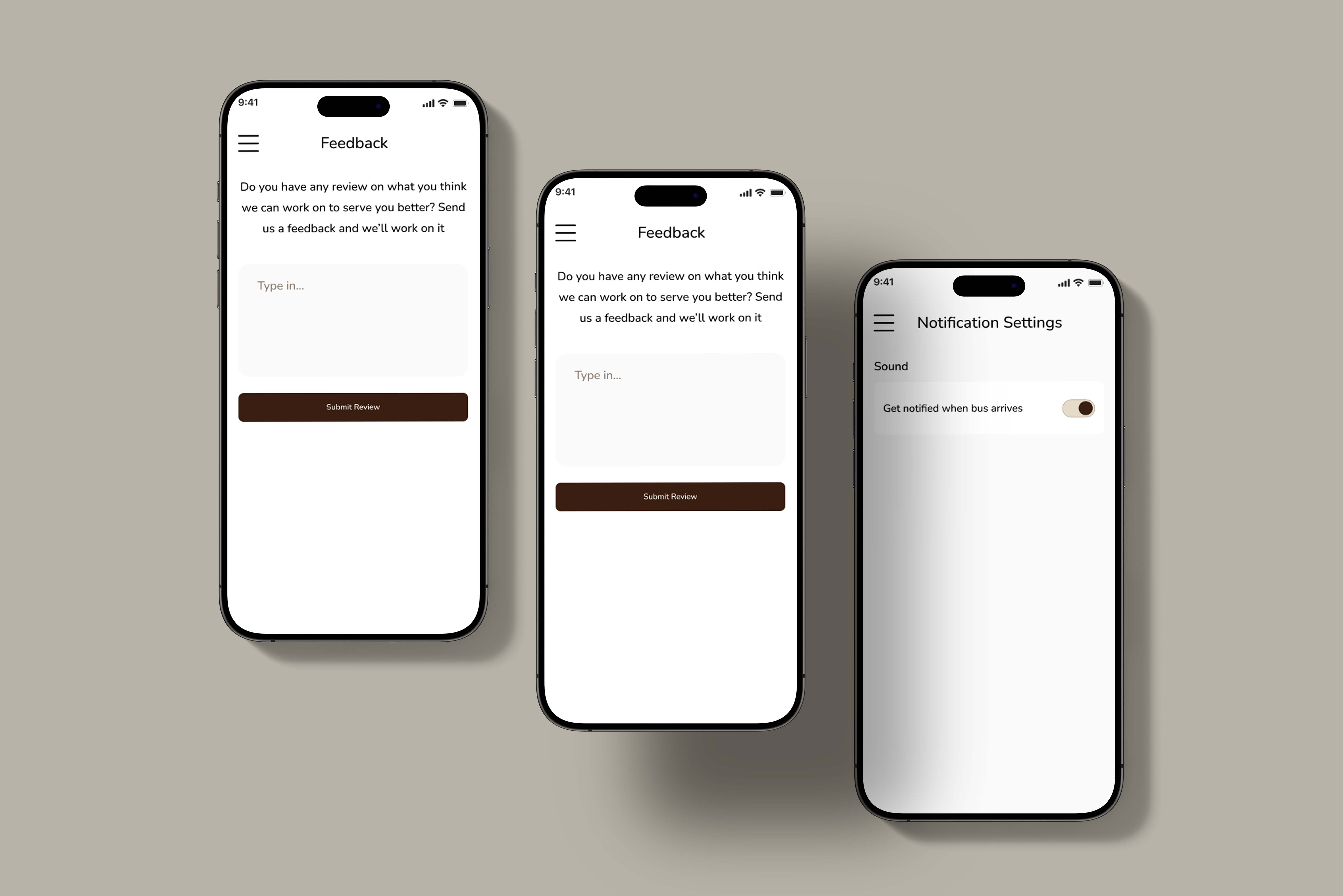
Three mobile screens display a UI design mockup featuring a user feedback form and notification settings, highlighting modern UI/UX design elements for a seamless experience.

Outcome

Outcome

Outcome

I collaborated with the university's IT team to implement these UX changes, resulting in:

I collaborated with the university's IT team to implement these UX changes, resulting in:

I collaborated with the university's IT team to implement these UX changes, resulting in:

✅ Reduced confusion with an organized interface.

✅ Fewer missed rides due to real-time notifications.

✅ Improved student satisfaction and usability of the app.

✅ Reduced confusion with an organized interface.

✅ Fewer missed rides due to real-time notifications.

✅ Improved student satisfaction and usability of the app.

Though financial limitations prevented a full redesign, these targeted enhancements significantly improved the student transit experience.
Though financial limitations prevented a full redesign, these targeted enhancements significantly improved the student transit experience.

Transportation

Ride hailing

Create a free website with Framer, the website builder loved by startups, designers and agencies.